
If you have been assigned Send As permissions for a group, distribution list, or person in your organization’s Address Book, you can send email and it will appear to be sent from that group.
To send to an email message on behalf
-
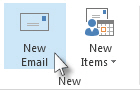
In Mail, click Home > New Email.
-
On the Options tab, in the Show Fields group, click From.
-
In the From box, type the name of the group on whose behalf you are sending the message.
To select the group from a list in the Address Book, click From.
-
Add recipients, a subject, and the contents of the message as you typically do.
To reply to an email message
-
In the other person's mailbox, select the message that you want to reply to on behalf of your manager.
-
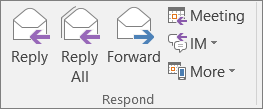
Click Home (If you have opened the message, click Message), and then click Reply, Reply All or Forward.
Comments
0 comments
Please sign in to leave a comment.