
Report an email as Phishing
- In the message list, select the message or messages you want to report.
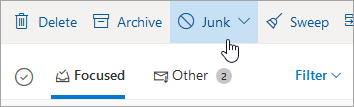
- Above the reading pane, select Junk > Phishing > Report to report the message sender.
Note: When you mark a message as phishing, it reports the sender but doesn't block them from sending you messages in the future. To block the sender, you need to add them to your blocked sender's list.
Block a sender
-
To block someone in Outlook.com, select the messages or senders you want to block.
-
From the top toolbar, select Junk > Block (or Spam > Block).
-
Select OK. The messages you select will be deleted and all future messages will be blocked from your mailbox.
Mark an email as Junk or Spam
-
Select the messages you want to mark as junk.
-
At the top of the screen, select Junk > Junk (or Spam > Spam) to move the message to your Junk or Spam folder.
Comments
0 comments
Please sign in to leave a comment.